Appeal A Citation
Submit an online appeal for UIndy parking traffic citations.
- Access the UIndy Parking Portal. Use any of these browsers: Chrome, Internet Explorer, MS Edge, Safari or Firefox.
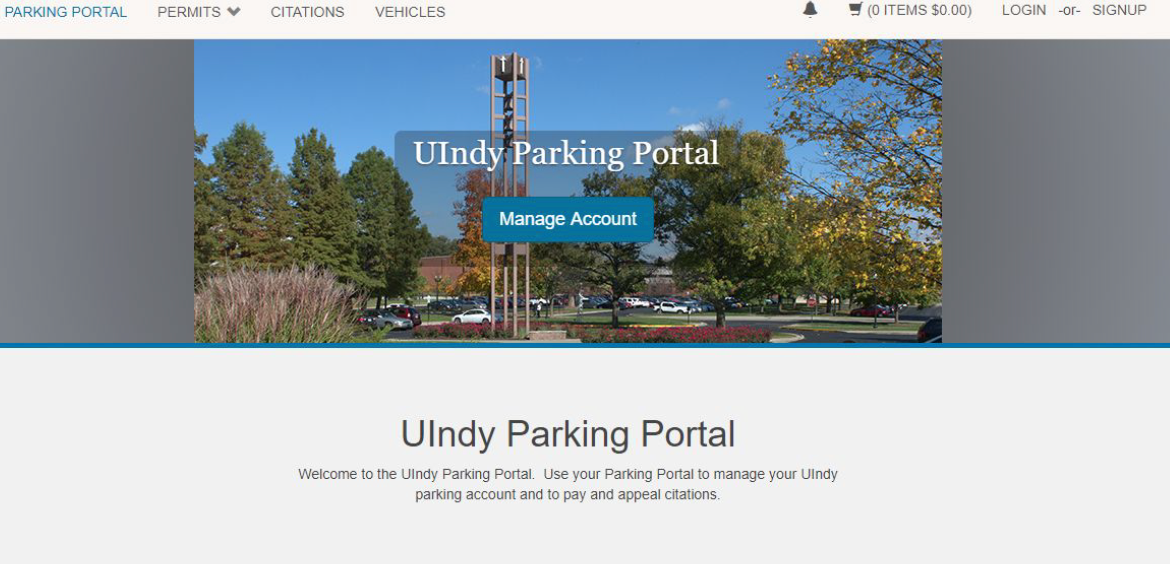
- Click the LOGIN button located on the top right corner of the screen.
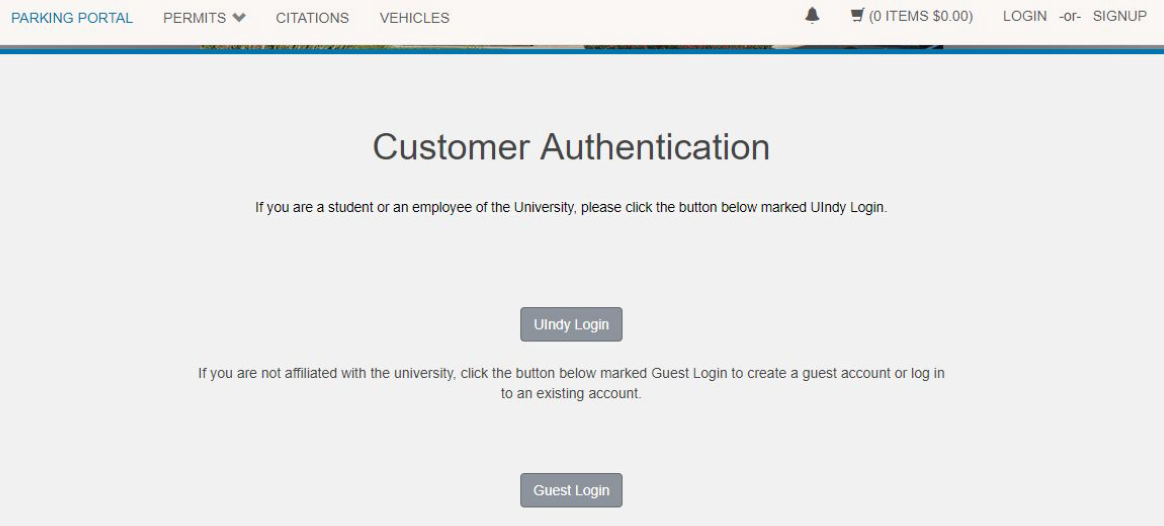
- UIndy employees and students will click on the UIndy Login button and use their UIndy username and password to access their account. Visitors must click on the Signup button (top right corner of the screen) to create a Guest Account before signing in.
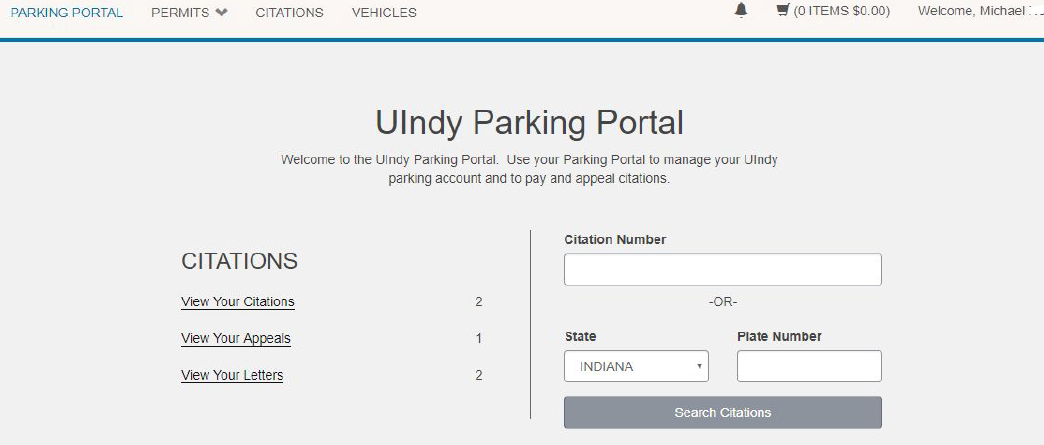
- Click on the Citations button located on the top left side of the This will provide you with a list of all citations issued to you and their current status.
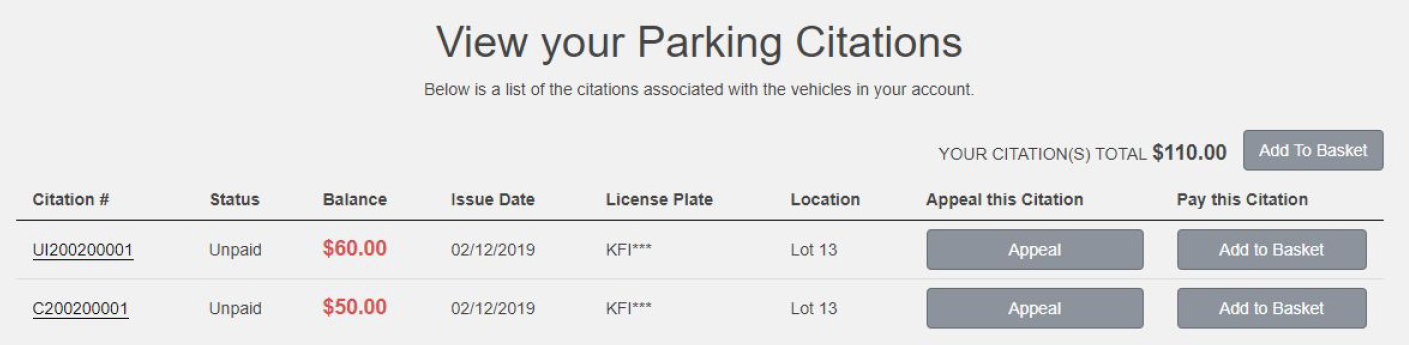
- Click the Appeal button beside the citation(s) to be appealed.
- You will be prompted to enter your license plate Click the Confirm button.
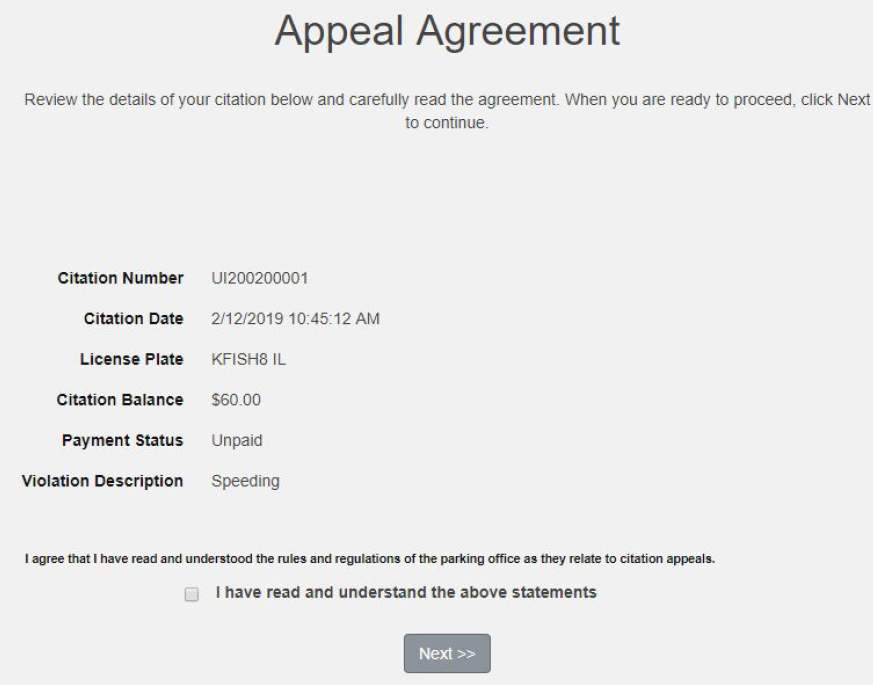
- Review the details of the citation and carefully read the When you are ready to proceed, acknowledge that you understand the rules and regulations of the parking office as they relate to citation appeals, and then click Next to continue.
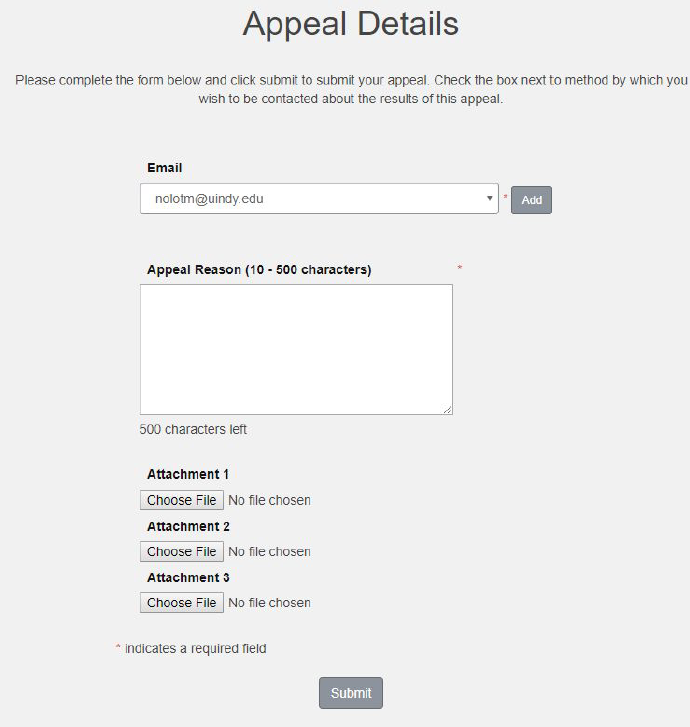
- Complete the Appeals Details You may attach up to three (3) images or files in support of your appeal. Click the Submit button.
- After the appeal has been submitted you will receive a confirmation that looks like this:
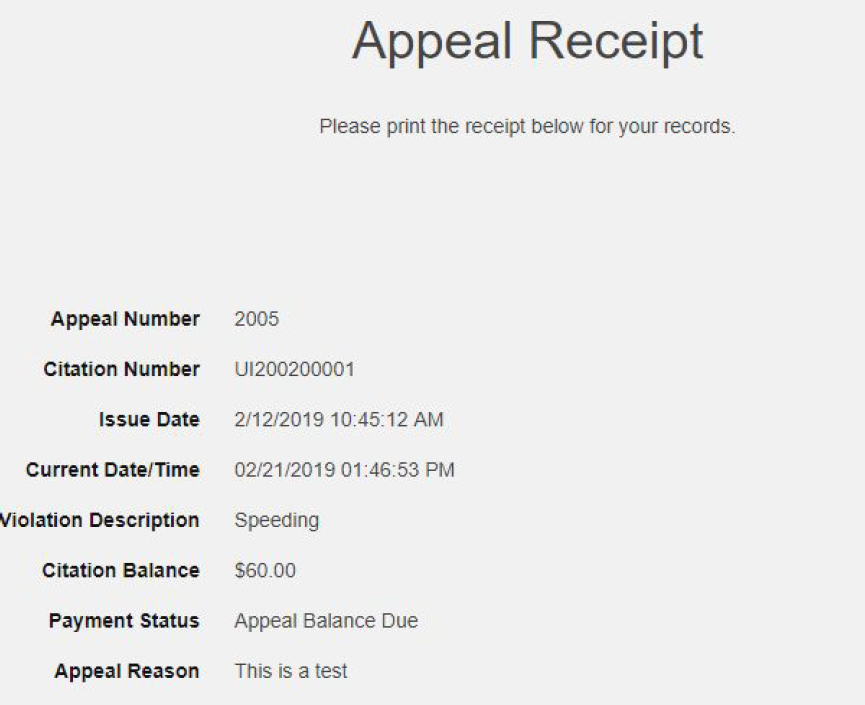
You will also receive an email with a receipt shortly after submitting your appeal. You will receive another email with the decision on your appeal once it has been adjudicated by the Appeals Board. If the appeal is denied, it is your responsibility to log into the UIndy Parking Portal and pay the outstanding balance of the citation.
Questions? Email uindyparking@uindy.edu or call 317-788-3386.